
A palette you can look at first
An earlier post here explains that every colour on this site comes from seven keys in a config file. That part hasn't changed. What has changed is that you no longer have to imagine what those seven values will look like before you commit to them.
Choosing between fourteen hex values is exactly as blind in a wizard as it is in YAML. So ./style.sh shows you.
Seven palettes, one keystroke
Whole palettes now ship in config/palettes.yml, light and dark both:
- Default blue, warm, monochrome and high contrast — the four from the gallery on this site, whose light modes are exactly what that page showed. Their dark modes are new; the gallery only ever had light homepages.
- Sunflower, cream and gold with olive links — the golden yellow stays on the tag pills, because yellow text on cream cannot be read and the accent here is above all a text colour.
- Garden, greens and khaki.
- Ocean, steel blue over navy.
Those last three come from the TangerineUI Classic family this engine's own palette grew out of — its bluebird is the default palette here, to the last hex value.
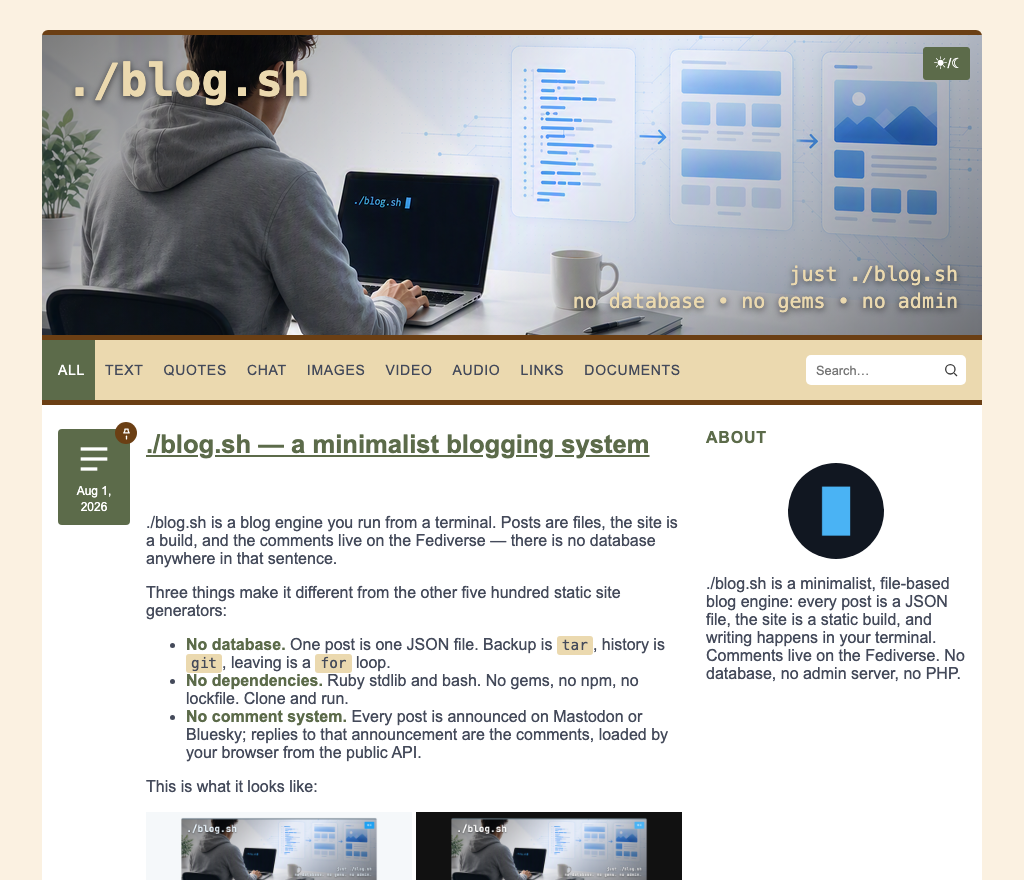
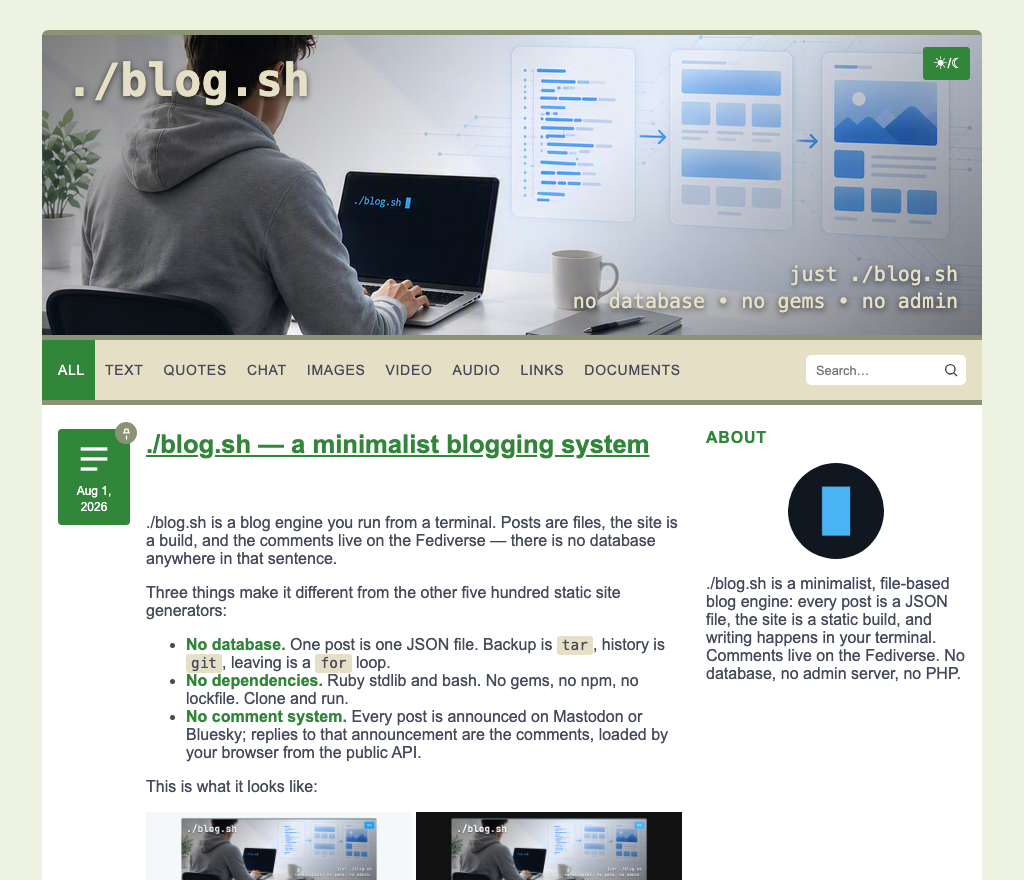
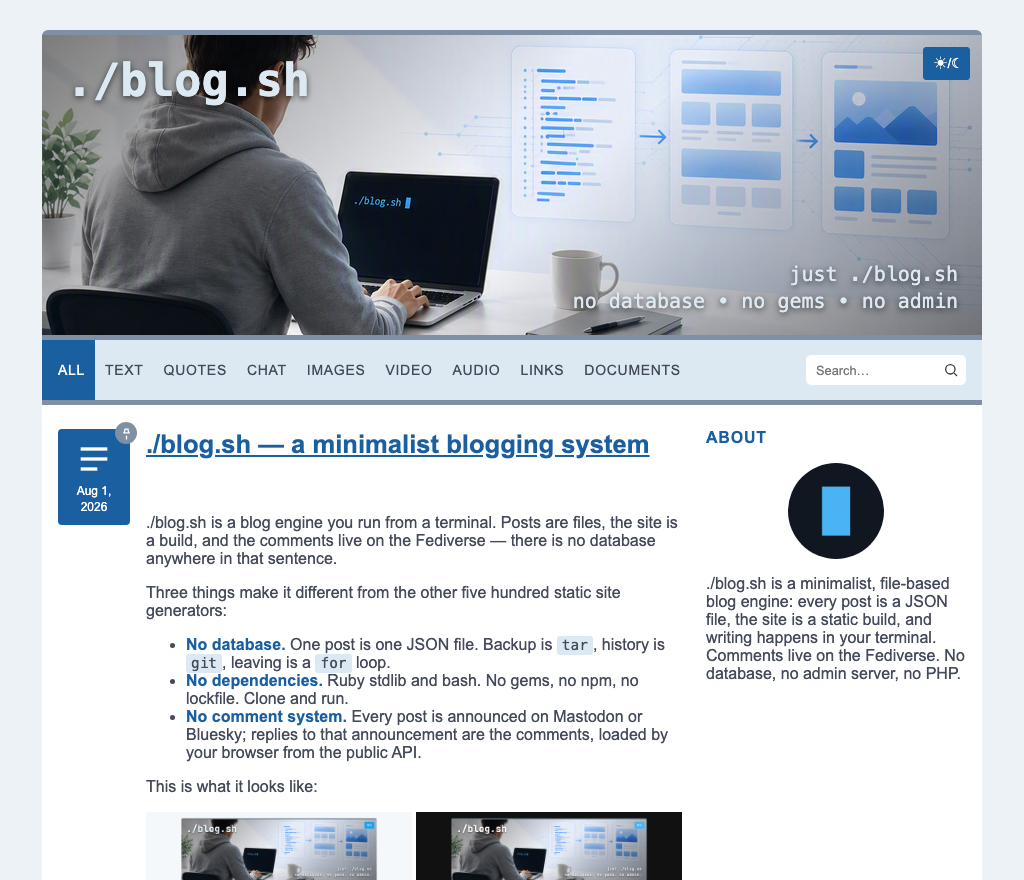
Adding your own is adding an entry to that file. The wizard lists whatever it finds, and a palette you add needs no translation to show up.
Then it shows you the site
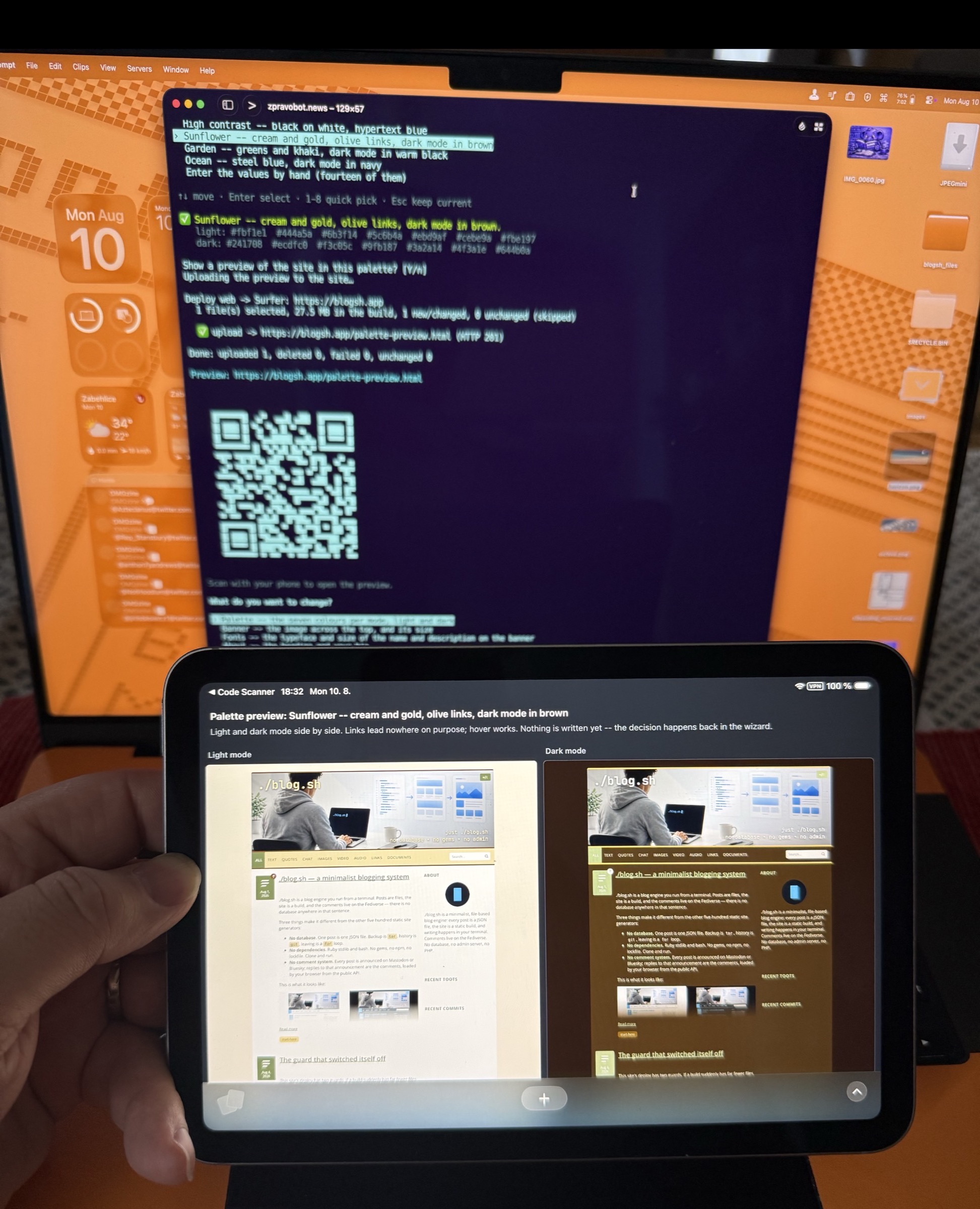
Pick one — or finish the fourteen-value custom route — and you are offered a preview: your own built site in the candidate colours, light and dark side by side. On a fresh install with nothing to render yet, a bundled sample post goes through the real builder instead.
On a deployed site the preview travels the way a draft preview does. It is uploaded to your own /palette-preview.html, and the wizard answers with the full address and a QR code — so a palette chosen at an SSH prompt can be judged on the phone in your pocket, on the screen people will actually read it on.
Locally it lands in tmp/palette-preview.html and opens in a browser where there is one.
The colours go through the same code the build uses. That is not a detail: lib/colors_css.rb was extracted for exactly this, so a preview cannot drift from what a rebuild would produce. A preview that lies is worse than no preview.
Nothing is written until the usual confirmation.
The banner section measures for you
Give it the path to an image and it copies the file into place and measures it. banner.width and banner.height exist to reserve layout space before the image loads; they have always been copied by hand, and a stale pair makes every page jump as it loads.
Why this is its own wizard
setup.sh and style.sh both write config/site.yml. They are split by lifecycle, not by file: setup asks the things you answer once, this is everything you come back and fiddle with — palette, banner, about text, footer, social icons, sidebar widgets, fonts, analytics.
So it is a menu you dip into, not a form you complete. Which is the honest shape for the part of a site nobody ever finishes adjusting.
Comments